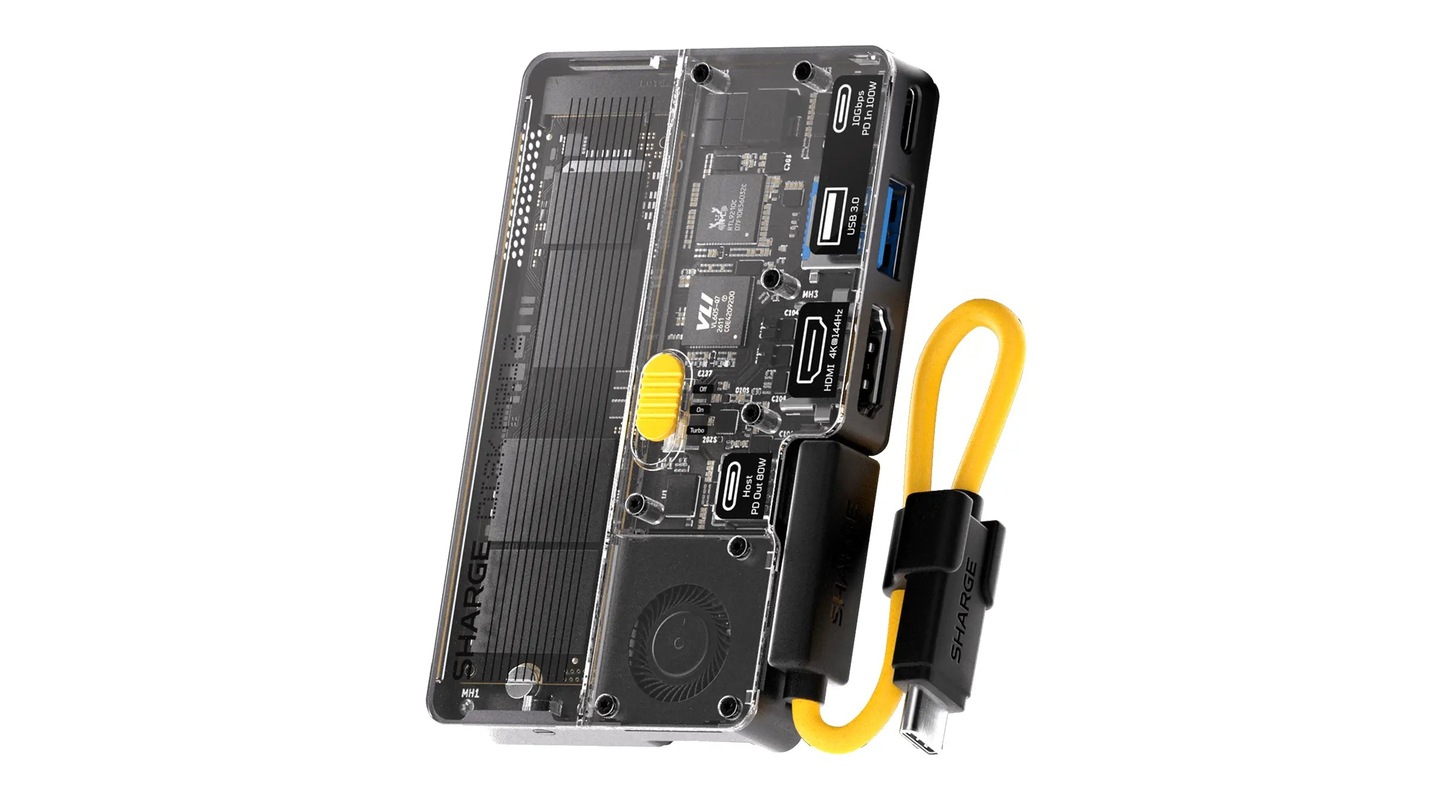
Your footage is on an external SSD, your monitor is on a hub, and now you need both on a Windows PC instead of your Mac. The SHARGE Disk Pro 2 Ultra puts the drive and hub in the same pocket-sized box. If the monitor, charger and accessories stay plugged into the dock, you can move the host cable to the other computer instead of reconnecting everything. The catch: storage, video and charging each have their own compatibility requirements.
You bring the SSD
SHARGE’s Ultra Standard Combo lists the dock, not an SSD. Budget for a compatible M.2 NVMe drive in 2230, 2242 or 2280 size. SHARGE lists support for up to 8 TB and a built-in fan. The dock’s up to 10 Gbps figure is a USB interface rating, not a measured file-copy speed. A fast NVMe drive won’t turn a slower computer port or cable into a 10 Gbps connection.
For a spare drive you’ll use to share ordinary files between Mac and Windows, exFAT is the straightforward option. Apple documents how to format a disk for Windows from a Mac. Formatting erases the selected drive, so back up and verify the backup before changing a drive you already use. If your work depends on an editing app’s project library, confirm the app supports that drive format on both platforms instead of assuming it works like a folder of clips.
Check your desk ports separately
The Ultra has two USB-C ports, one USB-A, HDMI, SD and microSD. SHARGE rates the Ultra’s HDMI at up to 4K at 144 Hz or 8K at 30 Hz, and its card readers at up to 180 MB/s read and 120 MB/s write. Those are manufacturer ratings, not measured results. A USB-C port can handle files without supporting external video; check the exact ports on both computers as well as the monitor and HDMI cable. Microsoft’s USB-C guide explains why video support depends on what the host port can do.
SHARGE lists 100 W USB Power Delivery input and up to 80 W output to the computer. Check whether each machine accepts USB-C charging and whether 80 W is enough for your workload. Power pass-through is useful, but it doesn’t replace every laptop’s original charger.
Try one swap before committing
- Use a spare NVMe drive. Copy a known sample folder to it on one computer and verify you can open and write files on the other.
- Eject the SSD before disconnecting. Use the same data-rated host cable to check both computers.
- Connect the monitor and accessories, confirm the actual resolution and refresh rate on both machines, and check charging while you work. Try a card import if that’s part of your routine.
The verdict: The Ultra makes the most sense if you regularly move both files and desk connections. If all you move is footage, a simple NVMe enclosure does the essential job with fewer compatibility checks.
Editorial note: This guide is based on published specifications and support documentation. We haven’t tested the dock.